Articles
Articles of interest
Stay updated and explore how you can improve processes for preventive maintenance
Search...

·
Phil Curtis
The maintenance work your CMMS never sees
You already have a CMMS. That’s not the gap.
Most maintenance teams already run a CMMS. Limble, UpKeep, Fiix, MaintainX, Maximo: whichever you chose, it’s doing its job. Work orders get raised, technicians get scheduled, parts get tracked. Nobody is suggesting you rip it out.
But there’s a part of the maintenance process your CMMS was never built to handle, and most teams fill it with spreadsheets, email threads and OneNote pages without realising it’s a gap at all.
What happens before the work order
A CMMS starts at the point someone decides action is needed. Everything before that point usually happens somewhere else.
An analyst spots an odd trend in the process data. A technician notices something that doesn’t look right on a walkround. A sensor throws an alert. Someone has to look into it: gather screenshots, check the history, talk to operations, form a view on whether it’s a real fault, a one-off, or nothing at all.
That investigation is where the real engineering judgement happens. And in most organisations it leaves no structured trace. Findings sit in inboxes. Half-investigated issues quietly drop off the radar. When something does fail, nobody can say whether it had already been flagged.
Why your CMMS doesn’t solve this
Many CMMS platforms now try to skip this step altogether by turning sensor alerts straight into work orders. That assumes every anomaly is a real fault worth a technician’s time. It isn’t. A meaningful share of flagged deviations turn out to be nothing, and recording that — cleared, no fault found, and why — is as valuable as recording the fixes. It’s what stops the same false alarm being chased again next quarter.
A CMMS is designed to manage work. It isn’t designed to manage the question of whether there’s work to do.
What the missing layer looks like
UptimeDriver|Findings sits between detection and execution. It gives every finding, whether field-reported, analytics-flagged or from an inspection, a single place to be investigated, prioritised and closed out with a clear outcome: resolved, cleared, or no fault found.
Where a finding does need action, work orders can be raised and managed directly, or passed into the CMMS you already run. Your CMMS keeps doing what it’s good at. UptimeDriver|Findings fills in what happens before it gets involved, and gives you a record of every finding and how it ended.
That means you can answer the questions that usually take a morning of chasing people: what was flagged this month, what happened to each one, and which downtime events had been spotted in advance.
Not another system to replace. A gap to close.
You don’t need a bigger CMMS. You need the investigation work your team already does to stop disappearing. That’s a much smaller change, and it’s what UptimeDriver|Findings is for.
Read more
·
Phil Curtis
The spreadsheet running alongside your CMMS
What “good enough for now” is really costing you
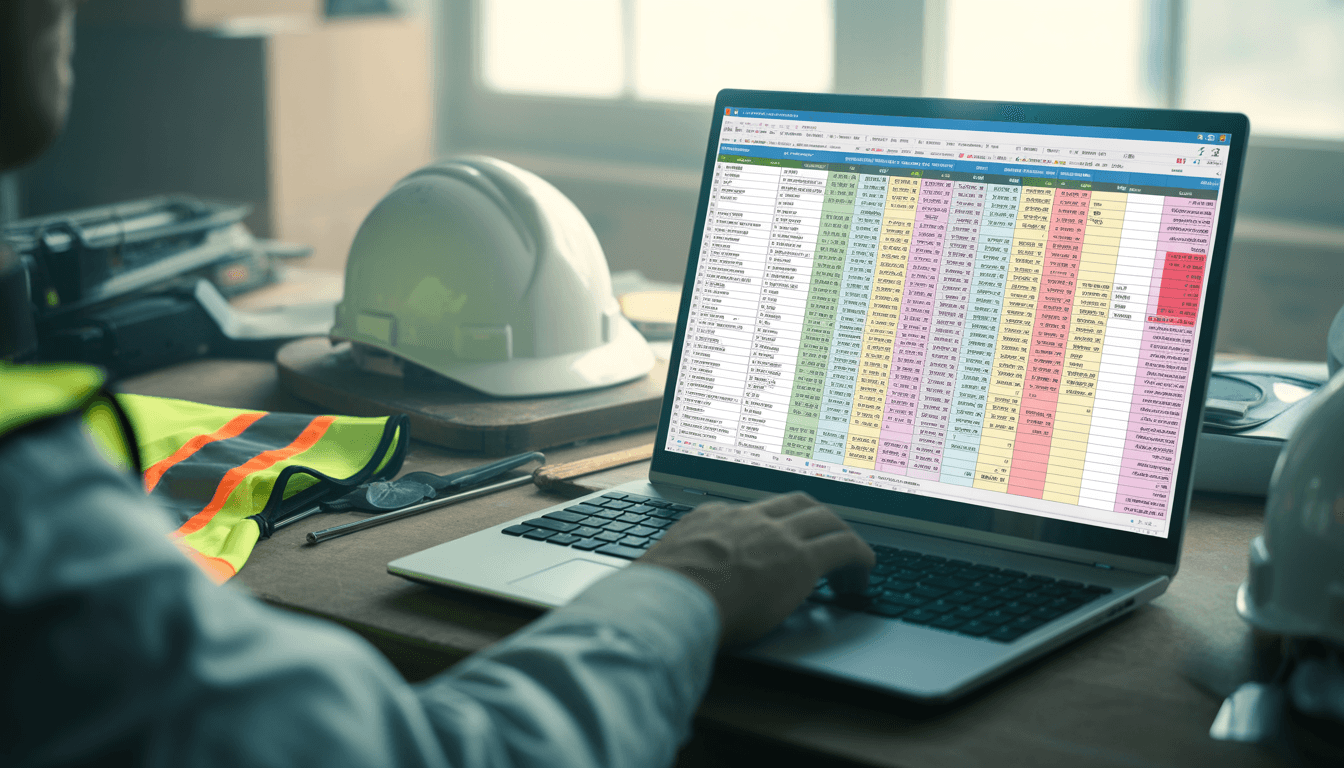
There’s a spreadsheet somewhere in your organisation that’s quietly causing problems. You probably know which one. It’s not your asset register or your work orders; those live in the CMMS. It’s the other one. It’s the list of things that have been flagged but not yet dealt with: the anomalies someone’s “keeping an eye on,” and the analyst findings that came in by email and needed somewhere to go.
Three people edited it this month. A column was added six months ago and nobody’s quite sure what it tracks anymore. And it’s the file you open every time someone asks what’s happening with a recurring problem.
Good enough for now
You know its limitations, and you’ve built workarounds around them. Nothing’s gone badly wrong yet. It’s held together partly by process and partly by two or three people who’ve been there long enough to know how it all fits together.
Spreadsheets didn’t fail you. They did what they’re designed to do: they’re flexible, familiar and free. When your CMMS had no natural home for half-investigated findings, a spreadsheet was the obvious fill-in. The problem is that the fill-in quietly became a system, without anyone deciding it should.
Most maintenance teams are in this position. They’re not in crisis, and they’re not unaware of the problem. But they haven’t reached the point where changing feels cheaper than staying put. That’s a reasonable place to be. It’s also worth examining honestly, because the costs are real. They just don’t show up anywhere you’d look.
Which version is the real one?
Suppose someone asked right now what happened to an anomaly flagged on a specific pump last month. How confident are you in the answer they’d find? Is the copy on the shared drive the latest, or was it updated on someone’s laptop last week? Did the follow-up happen in the spreadsheet, in an email thread, or in a conversation nobody wrote down? These aren’t edge cases. They’re the everyday reality of tracking investigation work in a file.
The one person who understands it
Most teams that rely on a findings spreadsheet also rely, without realising it, on one person who understands it. That person knows which tab is current, what the colour coding means, and which items were deliberately closed rather than just forgotten. That knowledge lives in their head. When they’re on leave, or leave the business, the spreadsheet becomes archaeology.
“What happened to it?”
A spreadsheet can tell you something was raised. It’s much worse at telling you how it ended. Was it fixed? Was it looked at and found to be nothing? Or did it just stop being updated? Those three outcomes look identical in a row with a blank status column. They mean completely different things when a breakdown happens and someone asks whether it had already been spotted.
The time you’re not counting
Then there’s the overhead. People get chased for updates before every management meeting. The spreadsheet gets cross-referenced against the CMMS. The same summary gets rebuilt by hand each month. Nobody invoices you for that time, so it never appears in a cost comparison.
It adds up quickly. Say two people spend a combined three hours a week keeping the spreadsheet current. That’s over 150 hours a year, more than four working weeks, spent on work a properly structured system does as a by-product.
The answers you can’t get
The bigger cost is what the spreadsheet can’t tell you:
Which downtime events had already been flagged before they happened?
What share of findings actually reach a decision?
Which alerts keep turning out to be nothing, yet get chased again every quarter?
Which root causes recur across assets or sites?
These questions are the difference between running maintenance reactively and running it with evidence. The raw material to answer them already exists in your team’s work. The spreadsheet just can’t hold it in a shape you can query.
Not a bigger CMMS. A proper home for the missing step.
None of this means you need a bigger CMMS, a six-month project or an IT team. Your CMMS is doing its job; it just starts at the work order. The spreadsheet exists because the investigation work before that point has nowhere else to live.
UptimeDriver|Findings gives that step a proper home. Every finding is captured, investigated and closed with a clear outcome: resolved, cleared or no fault found. Work orders are raised directly or passed to the CMMS you already run. Each client’s data sits in its own dedicated database, so the history you build is yours, structured and ready for Power BI or whatever analysis comes next.
The spreadsheet got you here. It’s not the right vehicle for where you’re going.
Read more

·
Phil Curtis
The Data Ownership Problem
What happens to your data when you leave?
When you sign up for a SaaS maintenance or asset platform, there’s a question most people don’t think to ask: what happens to your data when you leave?
The answer varies by vendor, but the pattern is the same. Your asset records, your fault history, your investigation notes, your maintenance logs all live in the vendor’s database, on the vendor’s infrastructure, structured in the vendor’s proprietary format. You can usually export a CSV. What you can’t do is keep using a working system once your subscription ends. The data is yours in theory. In practice, it’s hostage.
For many kinds of software, that’s an acceptable trade-off. Cancel your project management tool, export your tasks, move on. But operational history isn’t that kind of data.
Your asset history compounds in value
Every finding logged, every fault investigated, every “no fault found” recorded adds to a picture of how your equipment actually behaves. Which assets fail repeatedly. Which alerts turn out to be noise. Which fixes held and which didn’t. That history takes years to build, and its value lies in being continuous and queryable, not in sitting in a spreadsheet export that has lost its structure and relationships.
Lose access to it, and you lose more than records. You lose the institutional memory that lets engineers spot patterns, justify decisions, and stop re-diagnosing the same problem every six months. “It was in the old system” is not an answer anyone wants to give.
The cloud doesn’t mean it’s yours
There’s a common confusion between data being accessible via the cloud and data being owned by you. Most SaaS platforms give you access to your data through their interface. That isn’t ownership. Real ownership means your data sits in a structure you can reach, query and use independently of the vendor relationship.
UptimeDriver is built differently. Each client’s data lives in its own dedicated Azure SQL database, never pooled with other customers’ records. It’s held in a clean, documented structure, not locked behind a proprietary format. And because it’s genuinely separate, there’s a clear path to move that database into your own Azure tenant whenever you choose, with your history intact and usable.
AI-readiness isn’t a future concern
There’s one more reason data ownership matters now. As AI tools become practically useful for operational analysis (predictive maintenance, utilisation optimisation, cost modelling), organisations with clean, structured data they control will have a real advantage over those whose data is locked in vendor silos. Your asset data has value well beyond day-to-day maintenance. Owning it puts you in a position to realise that value.
Your operational data is a business asset. It deserves to be treated like one.
Read more

·
Phil Curtis
Why we built a Findings system, not another CMMS
If you run plant, fleet or fixed assets in a machinery-intensive business, you almost certainly already have a CMMS. Planned maintenance, work order history, an asset register: that ground is well covered by tools built for exactly that job. So when we built UptimeDriver|Findings, we didn’t build another one.
The gap a CMMS leaves behind
A CMMS is built around the asset: what it is, when it’s due for service, what’s been done to it. That’s the right structure for planned maintenance. It’s the wrong structure for a different question, one most teams end up answering in a spreadsheet, a OneNote page or someone’s memory:
Why is this happening, and what are we doing about it?
A CMMS will tell you a pump failed three times this year. It’s rarely built to show you that all three failures traced back to the same root cause, or that a symptom a field engineer noted in March was an early warning of the failure in June. That’s not a criticism; it’s just not the problem a CMMS is solving. Root cause, recurrence and cross-asset patterns need a different kind of record.
The finding is the record
That different kind of record is the finding. A finding is anything that deserves a closer look: a fault, a field observation, an analytics-flagged anomaly, an inspection result. It gets captured as an event in its own right, with enough structure to analyse later. Not just “what broke,” but the symptoms, the diagnosis, the root cause, who raised it, what was done, and how it ended.
This is the idea behind FRACAS (Failure Reporting, Analysis and Corrective Action System). It sounds like defence-industry jargon, but the principle is simple: if every finding is recorded consistently, a pile of incident reports becomes something you can query. Which asset types fail most often. Which root causes recur across sites. Which early symptoms tend to come before a failure.
Where UptimeDriver|Findings sits
UptimeDriver|Findings doesn’t replace your CMMS, your compliance tools or your asset register. It sits alongside them and does one job well: capturing, investigating and closing out findings — the history those systems aren’t built to hold.
A few things follow from that focus:
Finding-first, not asset-first. Every finding is captured on its own terms, then linked to the asset it concerns.
Not every finding is a fault. Some are reviewed and cleared with no action needed, or closed as no fault found. Recording those outcomes matters: it’s how you stop chasing the same false alarm twice, and how the system helps you catch problems early rather than only logging them afterwards.
Work orders when they’re needed. Where a finding does need action, work orders can be raised and managed directly, or passed into the CMMS you already run.
Your own isolated database. Each client gets a dedicated Azure SQL database, hosted in our environment by default, with a transfer path into your own tenant if you later want to bring it in-house.
Fits how your team talks. Terminology, fields and workflow adapt to your language, whether you call them findings, issues or interventions.
The short version
UptimeDriver|Findings isn’t a CMMS replacement. It’s the layer that tells you why things keep failing, and what was done about it, sitting alongside whatever you already run.
If that gap sounds familiar, we’d be glad to walk you through it.
Read more
·
Phil Curtis
The maintenance work your CMMS never sees
You already have a CMMS. That’s not the gap.
Most maintenance teams already run a CMMS. Limble, UpKeep, Fiix, MaintainX, Maximo: whichever you chose, it’s doing its job. Work orders get raised, technicians get scheduled, parts get tracked. Nobody is suggesting you rip it out.
But there’s a part of the maintenance process your CMMS was never built to handle, and most teams fill it with spreadsheets, email threads and OneNote pages without realising it’s a gap at all.
What happens before the work order
A CMMS starts at the point someone decides action is needed. Everything before that point usually happens somewhere else.
An analyst spots an odd trend in the process data. A technician notices something that doesn’t look right on a walkround. A sensor throws an alert. Someone has to look into it: gather screenshots, check the history, talk to operations, form a view on whether it’s a real fault, a one-off, or nothing at all.
That investigation is where the real engineering judgement happens. And in most organisations it leaves no structured trace. Findings sit in inboxes. Half-investigated issues quietly drop off the radar. When something does fail, nobody can say whether it had already been flagged.
Why your CMMS doesn’t solve this
Many CMMS platforms now try to skip this step altogether by turning sensor alerts straight into work orders. That assumes every anomaly is a real fault worth a technician’s time. It isn’t. A meaningful share of flagged deviations turn out to be nothing, and recording that — cleared, no fault found, and why — is as valuable as recording the fixes. It’s what stops the same false alarm being chased again next quarter.
A CMMS is designed to manage work. It isn’t designed to manage the question of whether there’s work to do.
What the missing layer looks like
UptimeDriver|Findings sits between detection and execution. It gives every finding, whether field-reported, analytics-flagged or from an inspection, a single place to be investigated, prioritised and closed out with a clear outcome: resolved, cleared, or no fault found.
Where a finding does need action, work orders can be raised and managed directly, or passed into the CMMS you already run. Your CMMS keeps doing what it’s good at. UptimeDriver|Findings fills in what happens before it gets involved, and gives you a record of every finding and how it ended.
That means you can answer the questions that usually take a morning of chasing people: what was flagged this month, what happened to each one, and which downtime events had been spotted in advance.
Not another system to replace. A gap to close.
You don’t need a bigger CMMS. You need the investigation work your team already does to stop disappearing. That’s a much smaller change, and it’s what UptimeDriver|Findings is for.
Read more
·
Phil Curtis
The spreadsheet running alongside your CMMS
What “good enough for now” is really costing you
There’s a spreadsheet somewhere in your organisation that’s quietly causing problems. You probably know which one. It’s not your asset register or your work orders; those live in the CMMS. It’s the other one. It’s the list of things that have been flagged but not yet dealt with: the anomalies someone’s “keeping an eye on,” and the analyst findings that came in by email and needed somewhere to go.
Three people edited it this month. A column was added six months ago and nobody’s quite sure what it tracks anymore. And it’s the file you open every time someone asks what’s happening with a recurring problem.
Good enough for now
You know its limitations, and you’ve built workarounds around them. Nothing’s gone badly wrong yet. It’s held together partly by process and partly by two or three people who’ve been there long enough to know how it all fits together.
Spreadsheets didn’t fail you. They did what they’re designed to do: they’re flexible, familiar and free. When your CMMS had no natural home for half-investigated findings, a spreadsheet was the obvious fill-in. The problem is that the fill-in quietly became a system, without anyone deciding it should.
Most maintenance teams are in this position. They’re not in crisis, and they’re not unaware of the problem. But they haven’t reached the point where changing feels cheaper than staying put. That’s a reasonable place to be. It’s also worth examining honestly, because the costs are real. They just don’t show up anywhere you’d look.
Which version is the real one?
Suppose someone asked right now what happened to an anomaly flagged on a specific pump last month. How confident are you in the answer they’d find? Is the copy on the shared drive the latest, or was it updated on someone’s laptop last week? Did the follow-up happen in the spreadsheet, in an email thread, or in a conversation nobody wrote down? These aren’t edge cases. They’re the everyday reality of tracking investigation work in a file.
The one person who understands it
Most teams that rely on a findings spreadsheet also rely, without realising it, on one person who understands it. That person knows which tab is current, what the colour coding means, and which items were deliberately closed rather than just forgotten. That knowledge lives in their head. When they’re on leave, or leave the business, the spreadsheet becomes archaeology.
“What happened to it?”
A spreadsheet can tell you something was raised. It’s much worse at telling you how it ended. Was it fixed? Was it looked at and found to be nothing? Or did it just stop being updated? Those three outcomes look identical in a row with a blank status column. They mean completely different things when a breakdown happens and someone asks whether it had already been spotted.
The time you’re not counting
Then there’s the overhead. People get chased for updates before every management meeting. The spreadsheet gets cross-referenced against the CMMS. The same summary gets rebuilt by hand each month. Nobody invoices you for that time, so it never appears in a cost comparison.
It adds up quickly. Say two people spend a combined three hours a week keeping the spreadsheet current. That’s over 150 hours a year, more than four working weeks, spent on work a properly structured system does as a by-product.
The answers you can’t get
The bigger cost is what the spreadsheet can’t tell you:
Which downtime events had already been flagged before they happened?
What share of findings actually reach a decision?
Which alerts keep turning out to be nothing, yet get chased again every quarter?
Which root causes recur across assets or sites?
These questions are the difference between running maintenance reactively and running it with evidence. The raw material to answer them already exists in your team’s work. The spreadsheet just can’t hold it in a shape you can query.
Not a bigger CMMS. A proper home for the missing step.
None of this means you need a bigger CMMS, a six-month project or an IT team. Your CMMS is doing its job; it just starts at the work order. The spreadsheet exists because the investigation work before that point has nowhere else to live.
UptimeDriver|Findings gives that step a proper home. Every finding is captured, investigated and closed with a clear outcome: resolved, cleared or no fault found. Work orders are raised directly or passed to the CMMS you already run. Each client’s data sits in its own dedicated database, so the history you build is yours, structured and ready for Power BI or whatever analysis comes next.
The spreadsheet got you here. It’s not the right vehicle for where you’re going.
Read more
·
Phil Curtis
The Data Ownership Problem
What happens to your data when you leave?
When you sign up for a SaaS maintenance or asset platform, there’s a question most people don’t think to ask: what happens to your data when you leave?
The answer varies by vendor, but the pattern is the same. Your asset records, your fault history, your investigation notes, your maintenance logs all live in the vendor’s database, on the vendor’s infrastructure, structured in the vendor’s proprietary format. You can usually export a CSV. What you can’t do is keep using a working system once your subscription ends. The data is yours in theory. In practice, it’s hostage.
For many kinds of software, that’s an acceptable trade-off. Cancel your project management tool, export your tasks, move on. But operational history isn’t that kind of data.
Your asset history compounds in value
Every finding logged, every fault investigated, every “no fault found” recorded adds to a picture of how your equipment actually behaves. Which assets fail repeatedly. Which alerts turn out to be noise. Which fixes held and which didn’t. That history takes years to build, and its value lies in being continuous and queryable, not in sitting in a spreadsheet export that has lost its structure and relationships.
Lose access to it, and you lose more than records. You lose the institutional memory that lets engineers spot patterns, justify decisions, and stop re-diagnosing the same problem every six months. “It was in the old system” is not an answer anyone wants to give.
The cloud doesn’t mean it’s yours
There’s a common confusion between data being accessible via the cloud and data being owned by you. Most SaaS platforms give you access to your data through their interface. That isn’t ownership. Real ownership means your data sits in a structure you can reach, query and use independently of the vendor relationship.
UptimeDriver is built differently. Each client’s data lives in its own dedicated Azure SQL database, never pooled with other customers’ records. It’s held in a clean, documented structure, not locked behind a proprietary format. And because it’s genuinely separate, there’s a clear path to move that database into your own Azure tenant whenever you choose, with your history intact and usable.
AI-readiness isn’t a future concern
There’s one more reason data ownership matters now. As AI tools become practically useful for operational analysis (predictive maintenance, utilisation optimisation, cost modelling), organisations with clean, structured data they control will have a real advantage over those whose data is locked in vendor silos. Your asset data has value well beyond day-to-day maintenance. Owning it puts you in a position to realise that value.
Your operational data is a business asset. It deserves to be treated like one.
Read more